
PlayroomHow it works
Lifecycle
Playrooms have a simple lifecycle: create/play, stop, start, and delete. Stopping a playroom keeps its storage but scales down compute to zero, while starting it again reuses the same storage. Deleting a playroom removes all its resources.
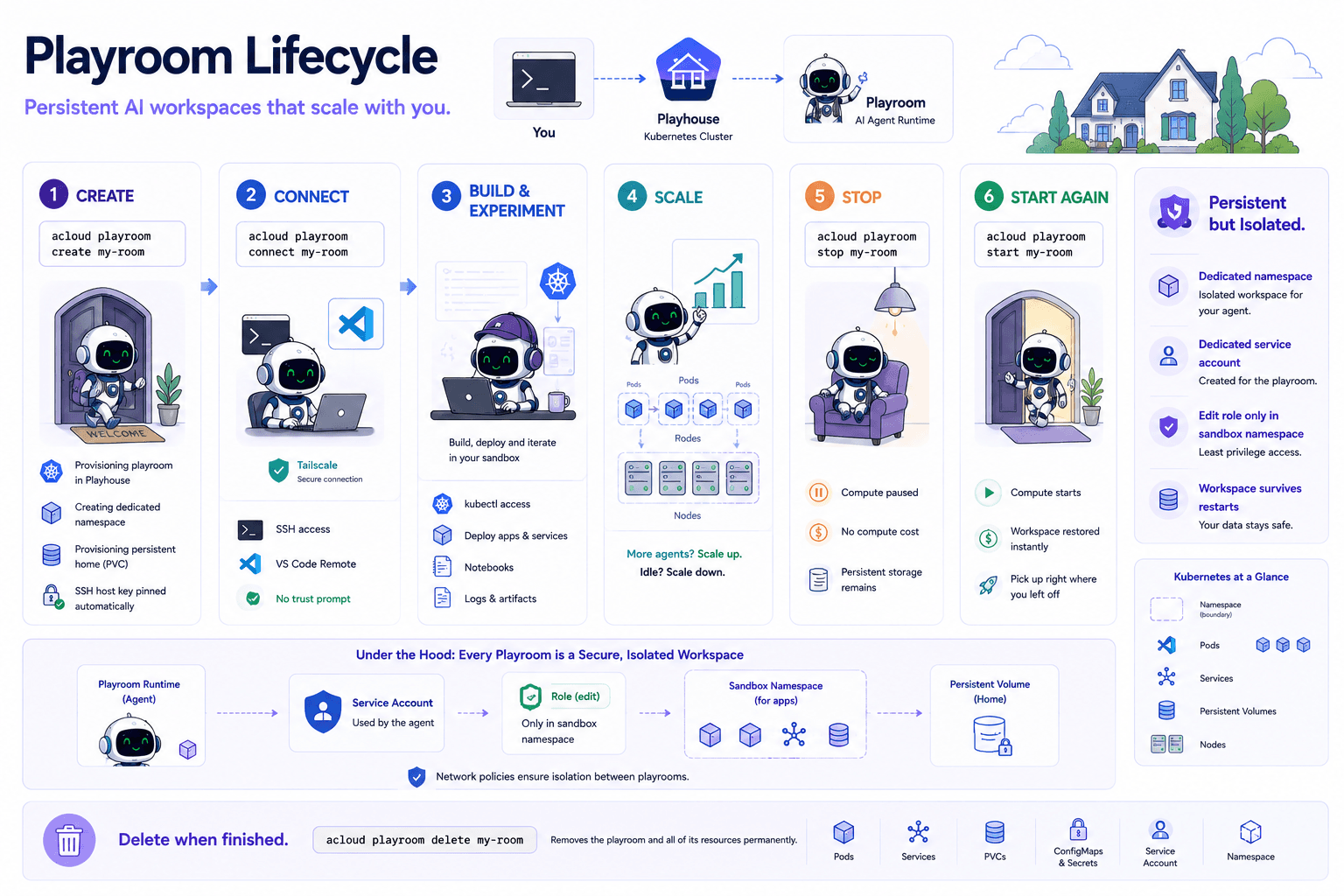
A stopped ephemeral playroom loses its data on restart, and its SSH host key changes, so a stop/start invalidates the pinned known_hosts entry.
create / play
- make a new playroom.
stop
- scale to 0. Storage is kept; you stop paying for compute.
start
- scale back to 1, reusing the same storage.
delete
- remove the playroom and all its resources.
create / play
      │
      ▼
 ┌─────────┐    stop     ┌────────────────────────┐
 │ running │ ──────────► │ stopped (storage kept) │
 │         │ ◄────────── │                        │
 └─────────┘    start    └────────────────────────┘
      │                            │
      └──────────┬─────────────────┘
                 ▼
           delete (removes the playroom and all its resources)
SEE ALSO
- Playroom overview: what a playroom is and why to use it
- Setup: Kubernetes objects and SSH connectivity internals
- Data and secrets: bring files, repos, and tokens into a playroom
- playroom create: create a new playroom
- playroom stop: stop a playroom, keeping its storage
- playroom start: resume a stopped playroom
- playroom delete: permanently delete a playroom